
Searching Cases by Name
Begin a Waller County case search with the county-linked Tyler public access portal. Its accessible help identifies Probate Case Records and Court Calendar as search areas. Probate records may be searched by case, party, or attorney. Calendar searches allow attorney, case, judicial officer, party, or defendant name. The form changes after the search type is selected, so the exact required fields are not fixed in the static help. A red plus and bold red label mark a required field in the live form.
Name searches work best when they start narrow. Soundex can account for spelling variants, while an asterisk can stand for missing name characters. Tyler warns that Soundex and wildcards cannot be combined. Search each plausible court lane because a result from one office does not cover every Waller County court docket.
- Choose Probate Case Records or Court Calendar, then select the matching search-by choice.
- Enter the narrowest party or attorney name supported by the dynamic form.
- Use either Soundex or a wildcard when spelling is uncertain, never both together.
- Compare the court, case type, filing date, and style before opening a case-number link.
| Field Label | Type | Required | Notes |
|---|---|---|---|
| Search area | Menu | Yes | Probate Case Records or Court Calendar |
| Search by | Menu | Yes | Choices depend on the selected area |
| Name or case value | Dynamic | Live form | Red plus and bold red labels show required controls |
| Soundex | Checkbox | No | Cannot be combined with an asterisk wildcard |
Waller Tyler Search Controls
The official Tyler help page documents Search, Search Menu, New Search, Back, Help, and Logout controls. Search results expose a case-number link. A later Register of Actions link can lead to the chronological event list. That route is useful for following filings and settings, but it should not be read as proof that an image is available.
The name wildcard needs at least one entered character. A case or cross-reference wildcard needs at least four characters other than dashes. Those limits prevent a blank or extremely broad query. They also explain why a short partial cause number may fail even when the case exists.
The assigned Waller County case-search image comes from the same official help source.
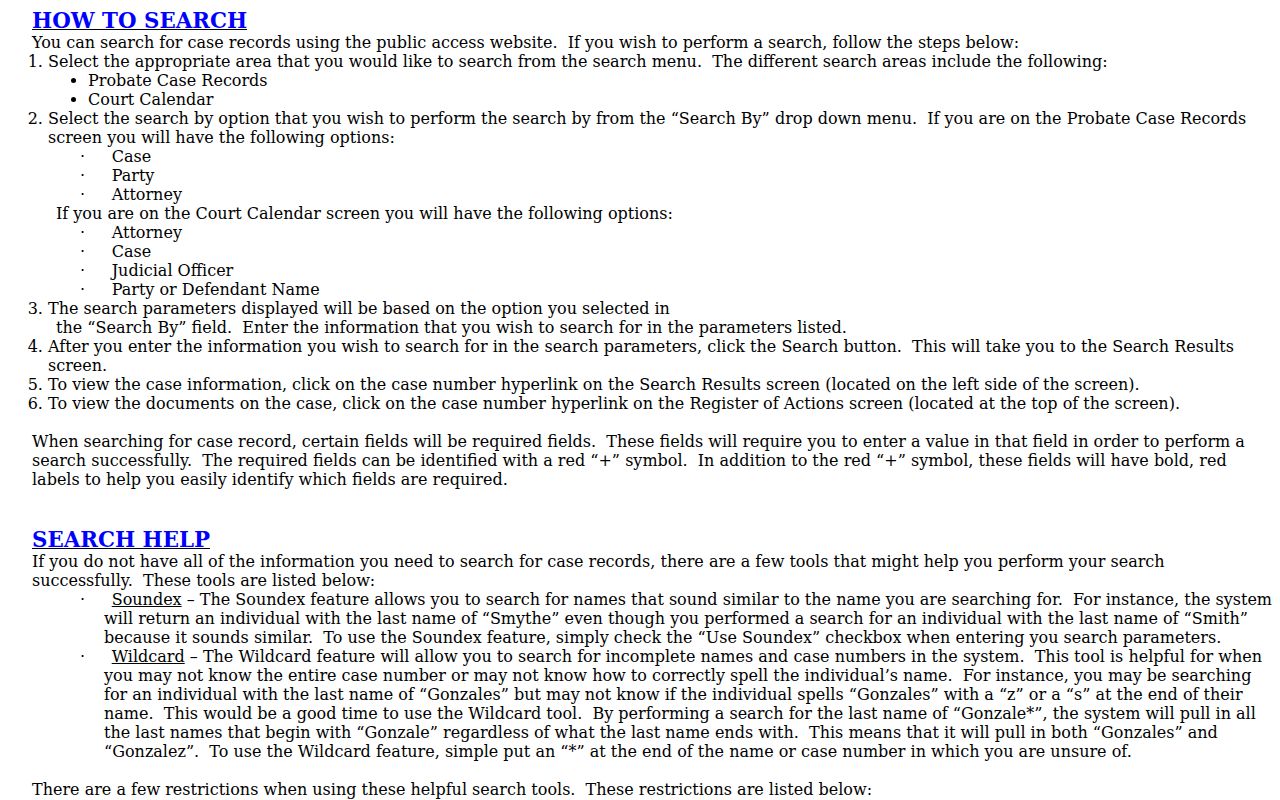
It illustrates the search-by menu described in the public instructions without displaying a private party's case record.
Searching by Case Number
Use the full cause number exactly as it appears on a notice, pleading, citation, or prior clerk receipt. Keep every dash and suffix. Waller County research did not establish one universal number pattern across district, county, justice, and municipal courts, so a made-up year and case-type format would be misleading. The verified local clue is the JP1 suffix: a number ending in JP1 points toward Justice Court Precinct 1.
If only part of the number is known, Tyler permits an asterisk after at least four non-dash characters in a case or cross-reference value. A failed partial search can mean the punctuation, suffix, court, or record series is wrong. It does not prove that no Waller County case exists. Ask the maintaining clerk to confirm the style and cause number when the printed number will not return a result.
Wrong Waller Court, No Result
The most common false negative begins before any name is typed. The District Clerk maintains district civil, family, tax, and felony records. The County Clerk's Odyssey system covers misdemeanor, civil, juvenile, probate, and mental-health filing types, subject to access limits. Four justice courts and five municipal courts separately keep traffic and Class C matters.
Read the court name on the source document. A city citation should go to that municipal court, while a JP cause number belongs with its precinct. County Court at Law No. 1 receives family, juvenile, and child-protection assignments. County Court at Law No. 2 receives misdemeanors, contested probate, and many assigned civil matters. The 506th District Court handles tax cases and other district jurisdiction. Search the correct lane before expanding a name query.
Note: A Waller mailing address does not establish which court holds the case.
What a Case Search Returns
A public result is an index and docket view, not the whole evidentiary file. The available fields can identify the court, case type, filed date, procedural roles, lawyers, current status, and dated events. A Register of Actions arranges filing descriptions, settings, orders, and dispositions in time order. Read labels with care. “Filed” does not mean “granted,” a requested setting is not always confirmed, and “inactive” is not necessarily a final judgment.
| Cause number | Unique court identifier, including punctuation and any local suffix |
|---|---|
| Style | Case caption showing parties in procedural roles |
| Case type | Broad lane such as civil, criminal, family, probate, tax, or juvenile |
| Filed date | Date the case or initiating paper entered the clerk's record |
| Status and events | Current system label plus dated motions, settings, orders, or disposition entries |
When Waller Tyler Returns 403
The county-linked login returned HTTP 403 during research. That response shows an access barrier in that browser session, not the absence of an online Waller County court docket. Try an ordinary browser and use the public help page to prepare the query. Do not keep changing names until an unavailable service produces a misleading “no record” conclusion.
Fallbacks depend on the case. Call the County Clerk at 979-826-7711 or the District Clerk at 979-826-7735 for a narrow factual check. Staff can confirm whether a case exists, whether a named document was filed, whether service returned, or whether an order was signed. A court coordinator is the better source for a live setting. For a ticket, contact the JP precinct or municipal court printed on the citation.
Key point: Keep the cause number, court, search date, search type, and result status in an audit note, but do not copy private identifiers.
Statewide vs County Case Search
re:SearchTX is a statewide search and document-access layer for participating courts. Its official materials describe registration, alerts, and document purchases. It can help when the county or court is uncertain, yet the research did not confirm complete Waller participation or full case coverage. The local Tyler route is closer to the county's Odyssey data, while the clerk remains the authoritative custodian.
| Statewide Portal | Waller County Portal |
|---|---|
| Participating Texas courts | Waller County Odyssey/Tyler records exposed locally |
| Search, alerts, and some purchased documents | Case links and Register of Actions behavior |
| Useful when the filing county is uncertain | Best when the Waller court and cause number are known |
Waller Docket Versus Document
The District Clerk expressly warns that public access has no images. A search may show an event labeled motion, return, order, judgment, or notice while the signed or filed pages remain absent. Call the District Clerk to request the event copy. State whether a plain copy or certified copy is needed and give the cause number, court, event name, and filing date if known.
A docket print is not a certified copy. Certification is the clerk's formal confirmation attached to the reproduction. The broader Waller County court records process also separates index data, chronological events, underlying documents, financial entries, and appeal materials. Determine which layer is needed before paying a search or copy charge.
Preserve a Waller Search Trail
A useful search note records the portal, search area, search-by choice, spelling method, court, cause number, case type, and search date. It should not repeat a private person's birth date, license number, account number, or protected allegation. This lets a reader reproduce a Waller County case search without creating a second store of sensitive data.
When results conflict, save the factual difference. Note that a statewide index showed an event while the local portal was unavailable, then ask the maintaining clerk to verify the current record. A portal result is a lead. The clerk-held case file remains the authority.
Access and Restricted Cases
Public access has limits. Waller County's criminal-record page states that juvenile records are closed. Mental-health, child-protection, adoption, protective-order, family, expunction, and nondisclosure matters may also be restricted, redacted, or partly hidden under a statute or court order. A visible case number does not make every document public. Likewise, a missing result can reflect a sealed file, old indexing, a wrong court, a portal failure, or a record not yet digitized.
Texas Rule of Civil Procedure 76a governs sealing of covered court records and requires specific findings and procedure. Texas Family Code Chapter 58 addresses juvenile confidentiality. A person seeking authorized access should contact the clerk that maintains the case and ask whether a public docket, redacted copy, or certified public version exists. Do not use another search path to evade a restriction.