
How to Search Waller County Civil Dockets
Begin at the filing counter, then open the Waller Tyler/Odyssey entry. A bare browser visit can return a 403. Tyler's public help still documents case, party, attorney, probate, and court-calendar searches. With a full cause number, search it whole. Use the narrowest party-name form first. Save Soundex for spellings you doubt.
- Classify the matter as district civil, family, tax, county civil, probate, or justice-court work.
- Select the matching search area and enter the full cause number or party name.
- Open the case-number link and Register of Actions.
- Record the court, status, filing date, parties by role, and relevant events.
- Ask the District Clerk or County Clerk for a plain or certified document.
Portal not cooperating? Call the District Clerk at 979-826-7735 or the County Clerk at 979-826-7711 with limited factual questions. Their public counters work too. re:SearchTX may offer participating statewide records, but it does not prove complete Waller coverage.
Waller Civil Dockets Start at Different Counters
Waller’s 2026 local rules send family, DFPS, and juvenile matters to County Court at Law No. 1. Tax cases land in the 506th District Court. Contested probate goes to CCL2. The county’s current page assigns uncontested probate to the Constitutional County Court. Small claims, debt claims, and evictions start in the right justice precinct.
| Case type | Court route | Starting office |
|---|---|---|
| District civil or tax | 506th or assignment order | District Clerk |
| Family or DFPS | CCL1 | District Clerk |
| Assigned civil | CCL2 | County or District Clerk by type |
| Contested probate | CCL2 | County Clerk |
| Small claim, debt, eviction | JP1 through JP4 | Correct justice court |
Dollar value alone will not identify the filing office. Exclusive district matters and assignment orders still control, so confirm the route before filing or asking for a file.
What a Waller Civil Docket Shows
The register lists clerk entries and court activity in order. It is not the document set. Read related entries together, since service, an answer, a setting request, and the court’s signed order can fall on different dates.
| Cause number | The local identifier, kept exactly as printed. |
|---|---|
| Style and roles | Plaintiff, defendant, petitioner, respondent, or other role. |
| Case type and status | The classification and current public status. |
| Filed instrument | Petition, answer, motion, return, notice, or proposed order. |
| Setting | Hearing or trial date, time, court, and setting type. |
| Outcome event | Signed order, judgment, nonsuit, dismissal, severance, or transfer. |
A petition alleges and requests relief; it is not a judgment. In the same way, a setting request does not prove the coordinator confirmed a date.
Waller Civil Filing Fees Reflect Different Work
The County Clerk lists $234 for a new civil case. The District Clerk’s schedule lists a $262 base for district civil, family, and tax filing categories. The gap reflects different offices and filing paths, not a discount on one page.
| County Clerk item | Published amount |
|---|---|
| New civil case | $234 |
| Citation | $8 |
| Sheriff or certified-mail service | $75 |
| Jury fee | $40 |
| Civil search | $5 per name |
| Photocopy | $1 per page |
For current County Clerk charges and accepted filing routes, check the official civil-court page. Confirm your total before sending payment. Service, issuance, copy, and certification items can each be separate.
Types of Civil Cases on the Waller Docket
Contract, tort, property, tax, family, probate, and other assigned civil matters all appear on Waller County civil dockets. Justice courts keep their own small-claim, debt-claim, and eviction records. Under the local rules, CCL2 handles civil matters over $500 through $250,000. It also handles matters over $250,000, subject to district jurisdiction and exclusive categories. Tax matters have a named 506th calendar lane. Family Code and child-protection matters go to CCL1.
Probate splits between contested work in CCL2 and the uncontested work the county assigns to the Constitutional County Court. Family or probate data open to the public may be narrower than an ordinary contract file. Access limits govern those records.
Service and Default Events on Waller Civil Dockets
A civil case usually opens with a petition, then citation and service. The return shows what happened with service. An answer shows the responding party’s filed response. Timing matters here, since later requests can depend on when service and the answer occurred.
- Filed
- The clerk received and indexed the instrument.
- Return
- A service record was filed; read it before inferring completed service.
- Default request
- A request for relief when the required response has not been filed.
- Signed order
- The judge entered the written ruling reflected by the docket event.
Under Waller local rules, default judgment submission comes three days after motion and after fifteen days from answer. That local schedule does not let a searcher decide whether the legal prerequisites were met. Read the documents when the effect matters. Otherwise, seek legal advice.
Settings and Hearings on Waller Civil Dockets
The assigned court and coordinator control settings. Local rules say an approved coordinator confirms a setting in writing. A filed request can show up on the civil docket before any hearing date is confirmed. So never read “request filed” as “hearing set.”
Continuance motions are due ten days under the posted local rules. A proposed order must name a specific reset date and time. Summary-judgment submissions carry a thirty-day local deadline. CCL2 requires mediation before final trial in civil cases. Failing to mediate by pretrial may bring dismissal. Each step can generate a docket event. Still, the event label should be checked against the signed order and current calendar. The Waller County court calendar walks through the court-specific calendar and coordinator checks.
One Waller Case Can Produce More Cause Numbers
Transfer, consolidation, and severance can make a civil search look incomplete. Waller rules require an order plus destination-judge consent for a transfer. Consolidated matters proceed in the lowest-numbered cause, while a severance creates a new file and cause number.
Search response: Follow the transfer or severance event, note the related cause number, and search both records. Do not assume a closed-looking original register contains every later filing.
Justice-court appeals deserve the same caution. A JP appeal proceeds by trial de novo in county court, so the county-level cause is not just another screen for the original justice record. When tracing the path, get the certified entries and papers from the correct office.
Public Access to Waller County Civil Dockets
Access to a Waller County civil docket depends on what kind of record you want. It also depends on any sealing or redaction rule that applies. Two rules do most of the work here. Texas Rule of Civil Procedure 76a sets out the framework for sealing court records that fall within its scope. Rule 21c governs how sensitive data is handled. Judicial administrative records follow Rule of Judicial Administration 12. They skip the Texas Public Information Act route that covers general county records.
The District Clerk offers no document images for public access. County Clerk pages list search, copy, and certification fees on their own. So a free docket line can still end in a paid copy request. When you ask for a copy, give the cause number plus the event date or document name. Say whether you want plain or certified, and pick a delivery method. Juvenile records are closed, per the County Clerk. A missing result for family, juvenile, mental-health, sealed, or redacted matters proves nothing about whether a case exists.
Waller Civil Copies: Plain, Certified, or Online
An online docket entry only tells you that an indexed act appears. A plain copy just reproduces the filed paper. A certified copy adds the clerk's certification on top. Pay for the form the task actually needs, not for certification by default.
The District Clerk fee page pulls civil, family, criminal, search, and copy charges together. It is a single official schedule. The District Clerk publishes the current fee schedule and copy categories.
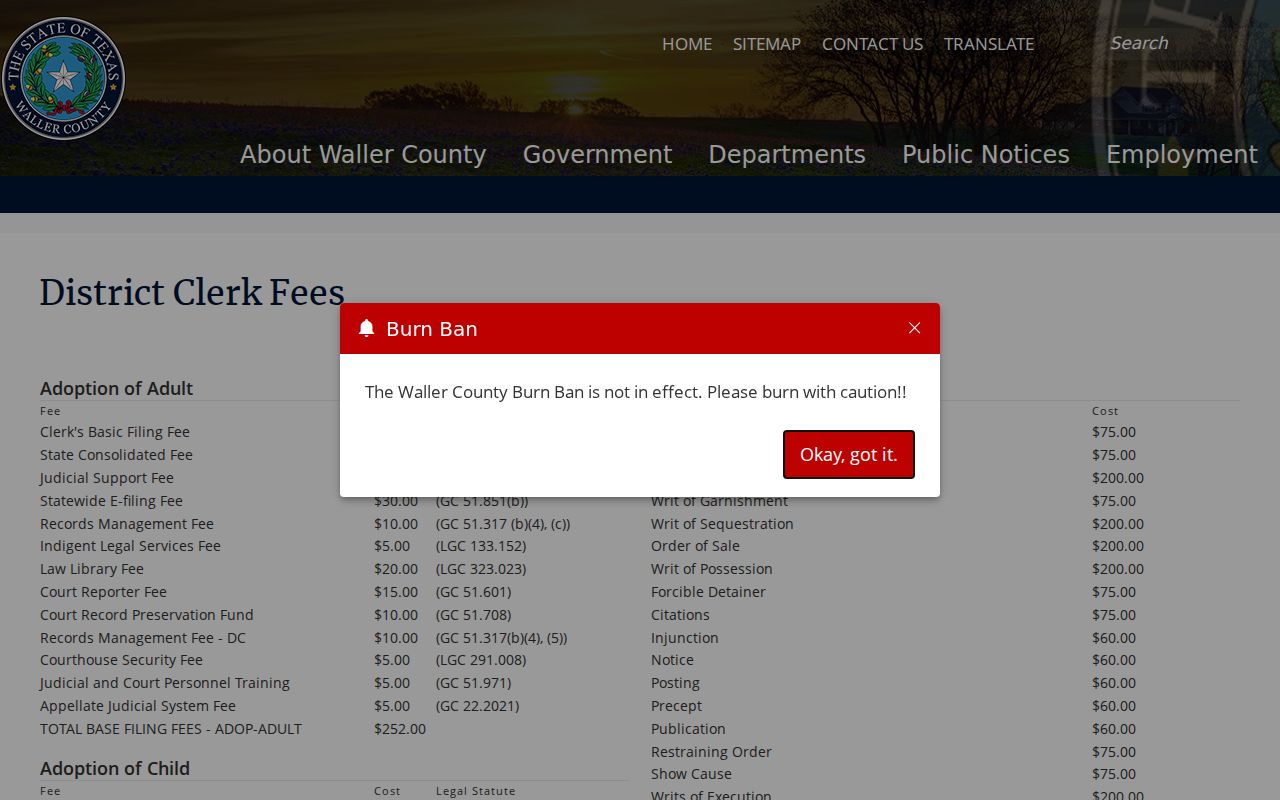
That official schedule is a good reason to settle the cause number and the exact document request before you prepare any payment. The County Clerk's civil page posts its own schedule and filing methods for county-level civil work.
Certified copies of Waller County civil filings come from the District Clerk, not from any other office. A county-level civil docket reference is useful, but it is no stand-in for an official certified quote.